What is a Bootloader? 🚀
Every time you turn on your computer, phone, or any other smart electronic device, a series of complex processes happens in a matter of seconds until the home screen appears. The main responsible for giving this "kickstart" is the Bootloader.
In simple terms, the Bootloader is a fundamental low-level program that runs before any operating system (such as Android, Windows, Linux, or iOS) is loaded into RAM. It works as the communication bridge between the device's hardware and the software you use every day.
🔄 How does the Bootloader work?
The Bootloader's operation follows a quick and rigorous sequence of steps when you press the power button:
- POST (Power-On Self-Test): The device checks whether basic hardware components (memory, processor, storage) are working properly.
- Location: The Bootloader locates where the operating system kernel is stored in the internal memory.
- Security Verification: Before loading the system, it checks whether the software's digital signatures are authentic and secure (ensuring the system has not been tampered with).
- Loading: It transfers the operating system instructions to RAM and hands over full control of the device to it.
Note: On mobile devices, the Bootloader usually comes locked from the factory by manufacturers to ensure that only official and authorized operating systems run.
📱 When is the Bootloader used?
The Bootloader is activated in two main situations:
- In daily use: Automatically, whenever the device is turned on or restarted from scratch.
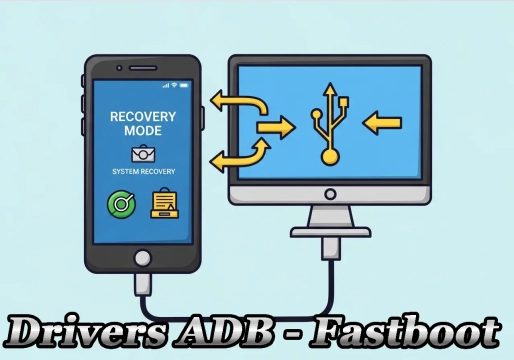
- In advanced modifications: When technology enthusiasts, developers, or technicians need to access system recovery modes, install custom ROMs (modified versions of Android, for example), root the device, or debug software failures.
✅ What are the advantages of the Bootloader?
Keeping the Bootloader running (and knowing how to use it) brings several benefits:
- 🔒 Security Assurance: Keeps the system protected against malware that tries to install itself before the operating system loads.
- ⚙️ Device Stability: Ensures that only software compatible with the hardware runs, preventing serious failures.
- 🎨 Advanced Customization (when unlocked): Allows installing newer versions of Android on older phones that no longer receive official updates.
- 🛠️ System Recovery: Allows restoring the device if the main operating system becomes corrupted.
⚠️ What are the risks of the Bootloader?
Although the Bootloader itself is essential, unlocking it brings significant risks that you should consider:
- 🚫 Loss of Warranty: Most manufacturers (such as Samsung, Xiaomi, and Motorola) void the device's warranty if the Bootloader is unlocked.
- 🦠 Security Vulnerability: With the Bootloader unlocked, the device loses critical layers of protection against malicious software.
- 💾 Data Loss (Wipe): The unlocking process usually formats the device completely as a security measure.
- 📵 App Incompatibility: Banking and streaming apps (such as Netflix) may stop working due to security checks like SafetyNet / Play Integrity.
- 🧱 Risk of "Bricking" the Device: Errors in the modification process can permanently render the device unusable (turning it into a "brick").
📊 Advantages x Risks of an Unlocked Bootloader
| Aspect | Locked Bootloader | Unlocked Bootloader |
|---|---|---|
| Security | High | Reduced |
| Manufacturer warranty | Preserved | Voided |
| Customization | Limited | Total |
| Installation of custom ROMs | Not allowed | Allowed |
| Official updates | Received normally | May be blocked |
| Banking / streaming apps | Work normally | May stop working |
| Risk of brick | Minimal | Present |
❓ Frequently Asked Questions (FAQ)
1. Is the Bootloader the same as BIOS?
Not exactly. BIOS (or UEFI, on modern computers) is a type of Bootloader used on PCs. On phones and tablets, the Bootloader has similar functions, but it is specific to ARM architectures and mobile systems such as Android and iOS.
2. Can I use my phone normally with the Bootloader locked?
Yes! The vast majority of users use their device with the Bootloader locked without any problem. Unlocking is only recommended for advanced users who want to customize the system.
3. Does unlocking the Bootloader erase my data?
Yes. For security reasons, the unlocking process usually performs a complete factory reset, erasing photos, apps, messages, and settings. Back up first!
4. Is it possible to lock the Bootloader again afterward?
On many devices, yes. Brands such as Xiaomi, Motorola, and Google allow relocking the Bootloader via specific commands. However, on some models, relocking may cause problems if the installed system is not the original one.
5. Does the Bootloader affect the device's performance?
No. The Bootloader acts only during device startup. After the operating system is loaded, it stops running, so it does not impact speed, battery, or overall performance.
6. Why do manufacturers lock the Bootloader?
For security, stability, and intellectual property protection reasons. Locking prevents users from installing low-level malicious software or modifying critical system components.
7. What happens if I try to unlock the Bootloader without knowledge?
You run a high risk of "bricking" the device, losing the warranty and all data. It is essential to follow reliable tutorials specific to your device model.
🎯 Conclusion
The Bootloader is an essential part of how any modern electronic device works. It ensures security, stability, and reliability in the startup process. For most users, keeping it locked is the safest choice.
For technology enthusiasts, however, unlocking the Bootloader opens doors to a world of customization — but it requires knowledge, care, and acceptance of the risks involved. Before making any decision, carefully evaluate your usage profile and the consequences of each action.
Related Posts
Motorola Bootloader Unlock
Ultimate ADB Fastboot Drivers Tutorial to Unlock Bootloader and Remove FRP