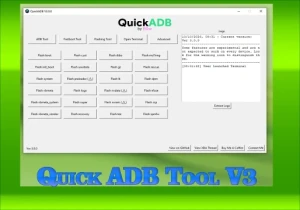
Quick ADB Tool V3.0: Essential Tool for Android Maintenance
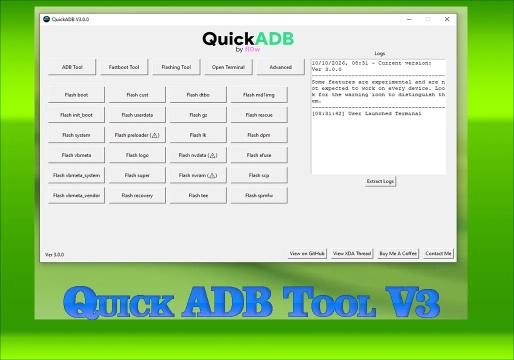
Quick ADB Tool V3.0 is a Windows program developed to simplify the execution of technical commands on Android smartphones. With an intuitive graphical interface, it centralizes functions that would normally require manual use of a terminal, making diagnostic, file management, and system maintenance processes much faster.
This tool is aimed mainly at maintenance technicians, developers, and advanced users who need to access specific functions of the device connected to the computer safely and efficiently.
🎯 What is Quick ADB Tool V3.0 for?
The software allows you to perform various operations via USB connection or, when compatible, via wireless connection. Its main applications include:
- Rebooting the smartphone into different boot modes;
- Installing applications in APK format;
- Transferring files between the computer and the device;
- Checking detailed information about the device;
- Executing ADB and Fastboot commands;
- Flashing images to compatible partitions;
- Extracting firmware components such as super.img;
- Facilitating the installation of GSI (Generic System Image) images.
⚙️ Main Functions of the Tool
Quick ADB Tool V3.0 brings together essential modules for the technical workbench. Check the details of each feature:
1. ADB Communication
The ADB module allows the computer to execute commands on the smartphone when USB Debugging is enabled. It is ideal for installing apps, checking system logs, and performing maintenance allowed by Android.
2. Fastboot Operations
It allows direct interaction with the Bootloader. Operations include rebooting, checking variables, and flashing images to partitions. Warning: Incorrect flashing can prevent the device from booting.
3. File Management
It facilitates copying files from the PC to the device and recovering data accessible via ADB, helping with the organization of technical records and installation of packages.
4. GSI Flasher and Super.img Dumper
Advanced features for installing generic system images (GSI) and extracting components from dynamic partitions (super.img), useful for Firmware analysis and specific repair procedures.
5. Wireless ADB Connection
Establishes communication without a USB cable, depending on the Android version and pairing configuration. Ideal for quick tests, although the cable is still recommended for critical procedures.
📋 Requirements and Compatibility
Before using the tool, check whether the environment meets the basic requirements:
| Requirement | Description |
|---|---|
| Operating System | Windows compatible with the program |
| Connection | USB data transfer cable |
| Configuration | USB Debugging enabled and authorized |
| Drivers | Proper drivers installed (if necessary) |
| Advanced | Some functions require Root or an unlocked Bootloader |
Compatibility: ADB works on most Android devices (Samsung, Motorola, Xiaomi, Realme, etc.). However, functions such as partition flashing and GSI are not universal. Always identify the exact model before proceeding.
🚀 How to Use: Step by Step
- Prepare the computer: Extract the files from a trusted source and run the program.
- Enable USB debugging: Access the developer options on the smartphone and enable the function.
- Connect the device: Use a quality USB cable and install the drivers if prompted.
- Authorize the connection: Allow USB debugging on the smartphone screen when connecting.
- Check recognition: Use the Quick ADB Tool identification function to confirm the connection.
- Select the operation: Choose the desired module (ADB, Fastboot, etc.) and confirm the data.
- Monitor the result: Do not disconnect the device during flashing or installations.
❓ Frequently Asked Questions (FAQ)
Does Quick ADB Tool V3.0 work on any Android phone?
Basic ADB works on most Android devices. However, advanced functions such as partition flashing, Fastboot, and GSI installation depend on the manufacturer, model, and bootloader state.
Do I need root to use Quick ADB Tool?
Not necessarily. Basic functions such as file transfer and APK installation work without root. Advanced system modification features may require root access or an unlocked bootloader.
Why does the antivirus flag Quick ADB Tool as a virus?
This is generally a false positive, common in tools that manipulate systems and execute low-level commands. It is recommended to create a restore point and download only from trusted sources.
What is the password to extract the downloaded file?
The compressed file must be extracted using the password mixdow.com.
⚠️ Warning!
Before using the Program, you need to temporarily disable the Antivirus because it may flag the file as a potential threat, but it is a false positive.
I test all the programs I share here before posting, however I cannot guarantee 100% that they are completely safe since I am not the creator of the programs.
I strongly recommend that you create a restore point on your computer before installing any program, so if you notice that the program is not safe, you can simply revert the restore point to the previous state.
Important: if you do not trust it, do not use it and look for other options.
Watch the video to learn more.
📥 Download Information
- Scroll the page down to the Download section.
- Check the box I agree to the terms of use
- Then click Reveal links
- Wait 5 seconds
- Use either of the 2 links
- Important the Download file is compressed with a password “mixdow.com”.
🔐 Download Section
To unlock the links, check the box below and click the button:
To get started, make sure you have the basic drivers installed:
DOWNLOAD REQUIRED DRIVERS HEREAttention: Some New FRP Tools use a "bypass" method that requires a special driver filter called LibUSB.
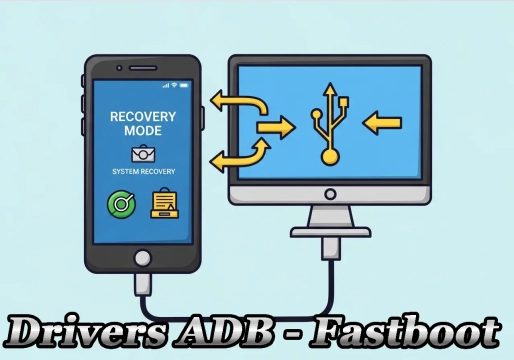
DOWNLOAD LIBUSB HEREFor Unlock Methods that require ADB or Fastboot Mode:
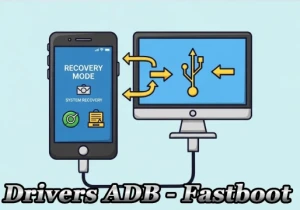
DOWNLOAD ADB AND FASTBOOT DRIVERS HERERequired to put the Qualcomm device into Emergency Download (EDL) mode.:
Download Qualcomm HS-USB QDLoader 9008 DriverI do not endorse or encourage the unlocking of stolen/blocked cell phones.
Anyone who uses these posts for any illegal purpose will be solely responsible for their activity.
Legal Notice:
The content of this Website, including any information about software, downloads, and third-party links, is provided for informational purposes only. The author of this Website is not responsible for any damage, directly or indirectly, caused by the download, installation, or use of any software mentioned on this website.
Disclaimer:
By accessing and using this Website, you agree to hold the author harmless from any liability for:
Hardware or software damage:
Including, but not limited to, viruses, worms, trojans, or other malicious code that may infect your system.
Data loss:
Copyright violations:
Downloading and using software without the proper licenses may result in copyright violations.
Illegal acts:
Misuse of software may be considered an illegal act and result in legal consequences.