
Connecting Your Phone to the PC for Repair
🔧 Connecting Your Phone to the PC: The Ultimate Guide to USB Repairs
If you've ever tried to repair a phone and encountered that frustrating "device not recognized" message, this guide is for you! We’ll unlock the secrets to getting your computer to correctly "see" your smartphone while it's in repair mode.
📱 Why does this happen?
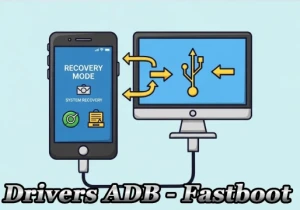
When we put a phone into a special repair mode (like the famous MTK Preloader mode), it transforms into a completely different device. Your computer needs a special "translator" to understand this new language—and that’s where USB drivers come in.
🚀 Three Heroes to Save Your Repair
There are three digital "superheroes" that can solve your problem, each with its own special abilities:
1. WinUSB – The Official Champion
Developed by Microsoft itself, it is the most stable and reliable option. Like a well-trained soldier, it follows all the rules and rarely causes issues. Recommended for most users!
2. libusbK – The Multitasker
This hero can handle multiple devices at once! It's ideal if you work with several phones simultaneously. It’s a bit more complex, but powerful.
3. libusb-win32 – The Veteran
The oldest of the bunch. It works well in specific situations but might run into a few "glitches" on modern systems.
Use this only if the other options don't work.
🎯 Easiest Method: Zadig (Our Favorite Superhero!)
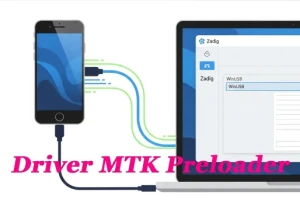
Zadig is like a "magic installer" that does all the heavy lifting for you. Here’s how to use it:
- Download Zadig from
zadig.akeo.ie - Run it as Administrator (right-click → "Run as administrator")
- Connect your phone in special repair mode
- Select WinUSB or libusbK from the list of available drivers
- Click "Install Driver" and you're all set!
📊 Visual Comparison: Which One to Choose?
| Driver | ⭐ Advantages | ⚠️ Limitations | 🎯 Best For |
|---|---|---|---|
| WinUSB | Native Microsoft, super stable, always signed | One application at a time | Tools like PrimeTool, SamFw |
| libusbK | Multiple simultaneous connections, very versatile | May have interface issues | Advanced testing, multiple devices |
| libusb-win32 | Simple for older setups | Known bugs, not recommended | Last resort, legacy systems |
💡 Pro Tips for Windows 10
Windows 10 can sometimes be "overprotective" regarding drivers. If nothing works, try these solutions:
- ✅ Temporarily disable driver signature verification
- ✅ Restart in Recovery Mode → Troubleshoot → Advanced options
- ✅ Select "Disable driver signature enforcement"
- ✅ Test different repair tools after installing the driver
❓ Frequently Asked Questions (FAQ)
1. What exactly is a USB driver?
It's like an "interpreter" that allows your computer and cell phone to understand each other. Without it, your PC simply won't recognize the connected device.
2. Why do I need a special driver to repair my cell phone?
When a cell phone goes into repair mode, it completely changes its USB "personality". The normal driver is no longer useful – we need a specialized one.
3. Is Zadig safe to use?
Yes! It is a free and open-source tool widely used by professional technicians around the world. Always download from the official website to avoid modified versions.
4. Can I ruin my phone by installing the wrong drivers?
Calm down! Drivers do not damage hardware. In the worst case, you will have to reinstall the correct driver or restart your computer. Your cell phone will be intact.
5. After installing, do I need to do anything else?
Usually not! Connect your phone in special mode and open your preferred repair tool (PrimeTool, SamFw, TMT, etc.). The driver will do the rest automatically.
6. Does the driver work for all cell phone brands?
Works for most MTK (MediaTek) devices, which are very common on Asian cell phones and many well-known brands. For other platforms, please check specific compatibility.
7. Do I need to reinstall the driver every time I repair a different phone?
No! Once installed, the driver is available for all compatible devices. You only need to select the correct device in Zadig if you change models frequently.
🎉 Ready to Get Started?
Now you have all the knowledge you need to turn your computer into a professional repair station! Remember: always start with WinUSB through Zadig – it's the safest and most efficient option in 95% of cases.
"Patience is the key to success. If it doesn't work on the first try, restart everything and try again. Most driver problems are resolved with a good restart!"
🔗 Useful Resources
- Zadig: zadig.akeo.ie
- libusb-win32 (old version): sourceforge.net/projects/libusb-win32
Related tags:
#CellphoneRepair #MTK #Technology #Windows10 #TechTips