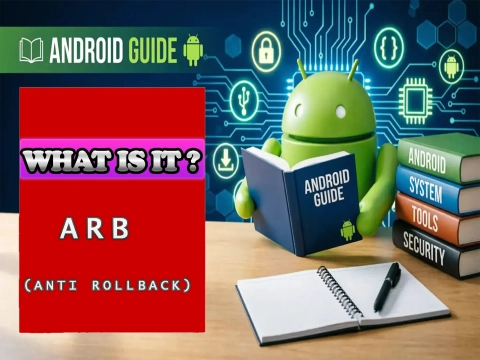
What is ARB (Anti Rollback) on Android?
ARB (Anti Rollback), also known as Anti-Rollback Protection, is a security mechanism present in many Android devices. Its main function is to prevent the device from being restored to a firmware version considered older or insecure.
This system was developed to prevent vulnerabilities fixed in recent versions from being reintroduced by installing old firmware. Therefore, ARB is an important feature during smartphone update, maintenance, and repair processes.
Understanding how Anti Rollback on Android works is especially important for technicians and users who work with firmware, Stock ROM, bootloader, Fastboot, Recovery, or repair tools.
📌 What is ARB (Anti Rollback)?
ARB (Anti Rollback) is a protection mechanism that controls the firmware version allowed on an Android device.
In simple terms, the device has a rollback index or level associated with the firmware. When a new version is installed and increases this security level, the device may subsequently prevent the installation of a version whose level is lower than the allowed one.
For example, a smartphone may accept the installation of firmware with ARB level 5, but block firmware with ARB level 4. In this case, even if the older firmware is officially compatible with the model, the security mechanism may prevent the downgrade.
The exact behavior of ARB varies according to the manufacturer, chipset, and security implementation used on the device.
⚙️ How does Anti Rollback work?
ARB's operation is related to verifying the integrity and version of the software during the boot or firmware flashing process.
Generally speaking, the system compares the rollback level present on the device with the rollback level reported by the firmware being installed.
- When the firmware has a level equal to or higher than the allowed one, the operation can proceed.
- When it has a lower level, the security mechanism may block the installation.
The process may involve boot and security components such as the Bootloader, Secure Boot, protected partitions, and integrity verification mechanisms.
A simplified representation would be:
Current device ARB level → comparison with firmware → firmware allowed or blocked
It is important to note that ARB does not simply mean "newer version versus older version." The mechanism uses security information embedded in the firmware and may continue to block certain versions even when other firmware files appear compatible.
🕒 When is ARB used?
Anti Rollback can come into play mainly during operations related to the device's software, such as:
- 🔄 Firmware update;
- ⬇️ Firmware downgrade;
- 📦 Stock ROM installation;
- 🛠️ Recovery of devices with software problems;
- 💾 Flashing of certain partitions;
- 🔧 Processes performed by maintenance tools;
- 🔓 Changes involving the bootloader and boot components.
One of the most important scenarios is the downgrade. Old firmware may be technically compatible with the model but still be blocked by the Anti Rollback mechanism.
For this reason, before performing a flash procedure, it is important to check whether the chosen firmware has an ARB level compatible with the device.
✅ What are the advantages of ARB?
Anti Rollback mainly offers advantages related to device security.
🛡️ Protection against old vulnerabilities
One of ARB's main functions is to prevent the user from returning to a software version that contains security vulnerabilities that have already been fixed.
🔐 Greater firmware security
The mechanism makes it difficult to use older versions of the system that could compromise the protections implemented in more recent versions.
🧰 Protection during maintenance processes
On certain devices, ARB helps prevent critical components from being replaced with incompatible or considered insecure versions.
🚫 Reduction of downgrade attacks
Rollback attacks can exploit older versions of the system to recover known vulnerabilities. Anti Rollback was designed precisely to make this type of scenario difficult.
⚠️ What are the risks of ARB?
ARB is a security mechanism, so its existence does not represent a risk in itself. The main problem occurs when a person attempts to perform a software procedure without first checking the device's Anti Rollback level.
An incompatible downgrade can cause failures during the flashing or boot process. Depending on the manufacturer's implementation and the device, an incorrect flash attempt can result in bootloop, boot failure, or even a state in which the device does not boot normally.
Therefore, it is essential to:
- 📱 Correctly identify the device model and variant;
- 🔍 Check the firmware version;
- 🔢 Verify the ARB level when this information is available;
- 📂 Use files intended for the correct model;
- ⛔ Avoid downgrades without confirming compatibility;
- 💾 Back up important data before maintenance procedures.
On some devices, once the Anti Rollback level is updated, it may not be possible to return to certain earlier firmwares.
📊 Comparison table: ARB levels and behavior
The table below illustrates, in a simplified way, how the device may react when attempting to install firmware with different Anti Rollback levels:
| Device ARB level | Firmware ARB level | Result | Note |
|---|---|---|---|
| 5 | 5 | ✅ Allowed | Equal levels — installation authorized. |
| 5 | 6 | ✅ Allowed | Newer firmware — normally accepted. |
| 5 | 4 | ❌ Blocked | Downgrade with lower level — prevented by ARB. |
| 3 | 3 | ✅ Allowed | Equal levels — installation authorized. |
| 3 | 2 | ❌ Blocked | Firmware with ARB lower than the current one. |
Note: actual behavior depends on the manufacturer, chipset, and the specific security implementation used on the device.
🔎 Illustrative chart: ARB levels
Below is an example of code that can be embedded in an HTML page to visually display Anti Rollback levels. Simply paste the snippet into a Joomla custom code block (or into an article with HTML/JS support).
<canvas id="graficoARB" width="400" height="200"></canvas>
<script src="https://cdn.jsdelivr.net/npm/chart.js"></script>
<script>
const ctx = document.getElementById('graficoARB').getContext('2d');
new Chart(ctx, {
  type: 'bar',
  data: {
    labels: ['Firmware 1', 'Firmware 2', 'Firmware 3', 'Firmware 4'],
    datasets: [{
      label: 'ARB Level',
      data: [2, 3, 5, 5],
      backgroundColor: ['#4CAF50', '#2196F3', '#FF9800', '#F44336']
    }]
  },
  options: {
    scales: {
      y: { beginAtZero: true, title: { display: true, text: 'ARB Level' } },
      x: { title: { display: true, text: 'Firmware' } }
    }
  }
});
</script>
❓ Does ARB mean every downgrade is impossible?
Not necessarily.
The existence of Anti Rollback does not mean that any downgrade will be automatically blocked. The behavior depends on the implementation used by the manufacturer and the rollback level associated with the versions involved.
In some cases, different versions may have the same ARB level and allow certain operations. In others, an older version may have a lower level and be blocked.
Therefore, it is not recommended to determine the possibility of a downgrade solely by comparing the Android version number or build number.
🧩 ARB and firmware: why is it important to check?
During a flash procedure, it is not enough to check only whether the firmware belongs to the same smartphone model.
It is also important to consider information such as:
- Device model;
- Variant (e.g., dual SIM, 5G, regional);
- Region (CSC / carrier);
- Firmware version;
- ARB level;
- Chipset compatibility.
This verification is especially important in maintenance tools that allow selecting different firmware versions.
A seemingly correct file may still be unsuitable for a downgrade if the Anti Rollback level is incompatible.
💬 FAQ — Frequently Asked Questions about ARB on Android
1. What does ARB mean on Android?
ARB stands for Anti Rollback. It is a security mechanism that prevents the installation of firmwares with a rollback level lower than the one currently recorded on the device.
2. Does ARB prevent any downgrade?
No. ARB only prevents downgrades whose security level is lower than the allowed one. Firmwares with the same level or higher can normally be installed, depending on the manufacturer's implementation.
3. How can I find out my device's ARB level?
The ARB level is generally reported in the firmware's technical documentation, in specialized maintenance tools, or in the firmware's own configuration files (such as the arbfuse or antirollback files).
4. Can ARB cause a bootloop?
Yes. Attempting to install firmware with an incompatible ARB level can result in boot failure, bootloop, or even a state in which the device does not turn on normally.
5. Is it possible to disable ARB?
Under normal conditions, no. ARB is part of the device's security mechanism (generally linked to the Bootloader and Secure Boot). Disabling it would require deep modifications that could compromise the device's security and stability.
6. Does ARB affect the installation of custom ROMs?
It depends. ARB acts mainly on the verification of official firmwares (Stock ROM). On some devices, the installation of custom ROMs may be affected indirectly, especially if the bootloader is locked or if integrity verification is active.
7. What is the difference between ARB and FRP?
ARB controls the allowed firmware version. FRP (Factory Reset Protection) is a mechanism that requires the Google account after a factory reset. They are different protections, but both are part of Android security.
🏁 Conclusion
ARB (Anti Rollback) is an important security mechanism used on Android devices to prevent the installation of certain old firmwares or firmwares with a security level lower than the one allowed by the device.
Its main goal is to prevent vulnerabilities that have already been fixed from being reintroduced through downgrades. Although it offers an important layer of protection, ARB also requires attention during maintenance and firmware flashing procedures.
Before performing any downgrade or flash, it is essential to check the device's model, variant, firmware, and Anti Rollback level. This way, it is possible to reduce the risk of failures and avoid incompatible procedures.