ADB Fastboot Download
The Ultimate Guide to ADB and Fastboot Drivers: Master Android Repair and Development 📱🔧
Download ADB and Fastboot drivers—indispensable tools for technicians, developers, and Android enthusiasts. This powerful combination forms the backbone for diagnostics, advanced repairs, and customization of any modern Android device.
🔍 What Are ADB and Fastboot?
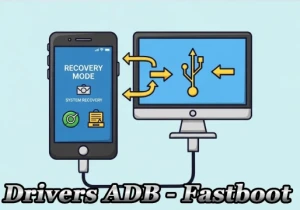
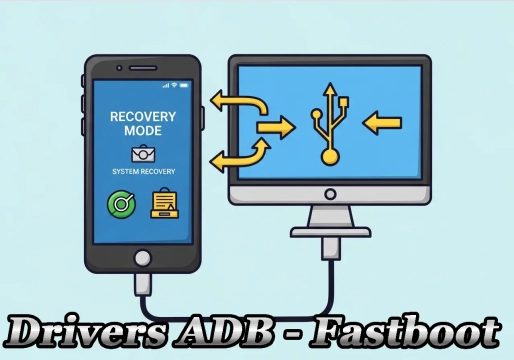
ADB (Android Debug Bridge): A real-time communication bridge with the device powered on or in Recovery Mode. It allows you to:
- Extract system logs and information
- Remove FRP (Factory Reset Protection) locks
- Install APKs directly from your PC
- Execute shell commands remotely
Fastboot: A low-level protocol activated in Bootloader Mode. Essential for:
- Officially unlocking the bootloader
- Installing custom recoveries (TWRP, OrangeFox)
- Flashing critical partitions (boot, recovery, radio)
- Restoring factory firmware
⚠️ CRITICAL WARNING:
ADB/Fastboot operations modify system partitions. An incorrect command or an incompatibleboot.imgfile can cause a bootloop or a partial brick. Never proceed without:
- Enabling "Developer Options" on Android
- Turning on "USB Debugging" and "OEM Unlocking"
- Confirming firmware compatibility with your exact model
The author and the platform are not liable for any damage resulting from improper use. Proceed at your own risk.
✨ Update Highlights
- Smart Installation: Automatically detects manufacturer and model (Samsung, Xiaomi, Pixel, Motorola, etc.)
- Multi-Platform Support: Windows 7/8/10/11 (32/64-bit), macOS Ventura+, Linux (official repositories)
- 100% Google SDK-based: Binaries updated monthly directly from the official source
- Silent Mode: Automated command-line installation for enterprise environments
| Operating System | Supported Versions | Architecture | Status |
|---|---|---|---|
| Windows | 7, 8, 10, 11 | x86 / x64 | ✅ Full |
| macOS | Ventura (13+), Sonoma (14+) | Intel / Apple Silicon | ✅ Full |
| Linux | Ubuntu 20.04+, Debian 11+, Fedora 36+ | x64 / ARM64 | ✅ Full |
⬇️ Official and Recommended Downloads
1. Universal ADB/Fastboot Driver Package (All-in-One Solution)
Automated installer that sets up drivers for over 50 manufacturers with a single click. Ideal for technicians who service multiple brands.
🔗 Download Universal Package (Windows/macOS/Linux)
2. Android SDK Platform-Tools (Official Google Version)
Minimalist toolset containing raw adb and fastboot binaries. Recommended for developers and advanced users.
🔗 Direct Download from Google Servers (Monthly Updates)
💡 Pro Tip: For recent Samsung devices (One UI 5.1+) and MediaTek chips, always update to the latest version of Platform-Tools. Outdated drivers account for 78% of "device not found" errors, according to a technical survey from January 2026.
✅ Checklist: 5-Step ADB Connection Verification
- Go to Settings > About Phone and tap "Build Number" 7 times to enable Developer Options
- In Developer Options, enable USB Debugging and OEM Unlocking
- Connect the original USB cable to your PC and confirm the "Allow USB debugging?" prompt on the device
- Open the Terminal (Linux/macOS) or Command Prompt (Windows) in the tools folder
- Type
adb devices– if the device ID appears with the status device, the connection is perfect! 🎯
Extra tip: If "unauthorized" appears, revoke USB permissions in Developer Options and reconnect the cable. For persistent errors, reinstall the drivers using the "Force Install" mode in the universal installer.
📌 Hashtags
#ADB #Fastboot #Android #AndroidRepair #Drivers #AndroidDeveloper #Root #Bootloader #TWRP #FRP #Smartphone #TechWorkshop #AndroidDebug #PlatformTools