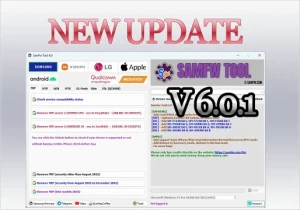
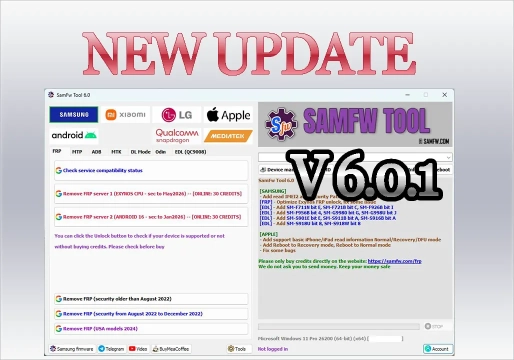
SamFw Tool v6.0.1:New Version
SamFw Tool v6.0.1: Complete Maintenance Guide for Mobile Devices
The SamFw Tool v6.0.1 is a robust tool primarily aimed at the maintenance and technical support of mobile devices. With strong integration with Samsung devices, it also offers additional support for other Android platforms, including operations related to ADB, MTP, Download Mode, EDL, Qualcomm, and MediaTek.
This version expands the resources available to technicians, bringing improvements to FRP-related operations on Samsung devices with Exynos processors, new loaders for EDL, IMEI2 and security patch level reading, as well as basic support for reading information on iPhones and iPads. The program brings together various diagnostic, maintenance, management, and recovery functions in a single interface, making it highly useful in different workshop scenarios.
📥 Download SamFw Tool v6.0.1
To download via the site's system, follow the steps below:
- Scroll down to the Download section.
- Check the box "I agree to the terms of use".
- Click on "Reveal links".
- Wait approximately 5 seconds and use either of the two provided links.
Password for the compressed file: mixdow.com
Watch the video to learn more about how to download and install.
⚙️ Main Features of SamFw Tool v6.0.1
📱 Samsung
The Samsung module is one of the most complete parts of the tool, concentrating various maintenance functions via MTP, ADB, Download Mode, Odin Flash, and auxiliary tools.
- FRP: FRP removal for new security versions, North American models from 2024, and specific optimizations for devices with Exynos processors.
- Information via MTP: Improved reading to display IMEI2 and Security Patch Level without the need for advanced service modes.
- Factory Reset: Multiple factory reset methods, varying according to the communication mode and model.
- Disable Knox and Factory Mode: Functions dependent on the specific model and platform.
- CSC Change: Modification of the Country Specific Code, influencing regional network parameters and services.
- ADB: Information reading, rebooting (Download Mode, Recovery), app management, APK/xAPK installation, language change, and settings control.
- Odin Flash: Resources for firmware flashing, including automatic file identification and slot selection.
- Download Mode: Exit mode, soft brick recovery, information reading, and specific FRP operations on older devices.
📲 Xiaomi
- ADB and Fastboot operations.
- Functions related to MiCloud and FRP on compatible devices.
- Sideload operations and Factory Reset.
- Specific resources for Qualcomm chipsets in certain modes.
📞 LG
- Information reading in MTP.
- Factory Reset and EDL operations.
- FRP removal on compatible models.
- KDZ firmware flashing via LG UP.
🔧 MediaTek and Qualcomm
- MediaTek: Factory Reset, userdata formatting, FRP operations, Unlock/Relock Bootloader, and authentication bypass in compatible scenarios.
- Qualcomm (EDL 9008): Reading, writing, and deleting partitions, Factory Reset, FRP Reset, and userdata cleaning. Version 6.0.1 adds new specific supports for certain model and Binary combinations.
📦 Android App Management
On devices with ADB available, the tool allows:
- Installing, disabling, enabling, and removing applications (including multiple APKs and xAPK).
- Clearing app data.
- Working with Dual Messenger apps and managing pre-installed apps.
📊 Platform Support Comparison Table
| Platform | Main Connection Modes | Key Features |
|---|---|---|
| Samsung | MTP, ADB, Download Mode, EDL | FRP, CSC Change, Odin Flash, IMEI2/Patch Reading |
| Xiaomi | ADB, Fastboot, Sideload, EDL | MiCloud Operations, FRP, Factory Reset |
| LG | MTP, EDL, LG UP | KDZ Flashing, Factory Reset, FRP Removal |
| Qualcomm | EDL 9008 | Partition Management, FRP Reset, Userdata Cleaning |
| MediaTek | Specific maintenance modes | Unlock/Relock Bootloader, Authentication Bypass |
| Apple (iOS) | Normal, Recovery, DFU | Basic information reading and reboot commands |
💻 Requirements for Use
- Computer: Compatible with the program version, with administrator permissions for component installation.
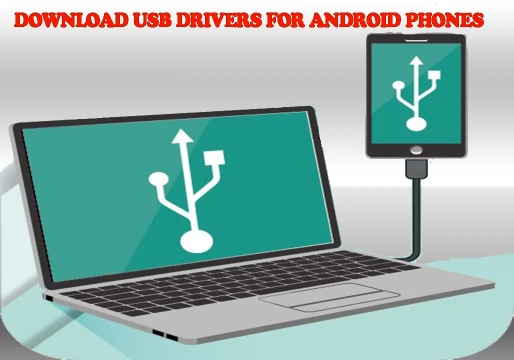
- USB Drivers: Correct drivers installed (the tool offers an option to install the Samsung USB Driver and Visual C++ components for ADB).
- USB Cable: High-quality cable compatible with data transfer to avoid disconnections.
- Battery: Sufficient charge on the device before performing lengthy operations.
- Correct Firmware: Prior confirmation of model, variant, region, Binary, Bootloader, Android version, and security patch.
🛠️ How to Install and Use the Tool
- Extract the files from the downloaded package to a folder on your computer (use the password
mixdow.comif requested). - Run the installer or main program, allowing the installation of necessary drivers and components.
- Connect the device to the computer using the communication mode required by the operation (e.g., USB Debugging enabled for ADB).
- Correctly identify the device's model, chipset, and Android version.
- Select only the function corresponding to the desired procedure in the tool's interface.
- Wait for completion without interrupting the USB communication and confirm the device's functionality at the end.
⚠️ Best Practices Before Using
Before executing any procedure, the technician should check:
- Exact device model and variant code.
- Processor (Chipset) and bootloader status.
- Android version, installed firmware, and security patch.
- Binary/Bootloader and active connection mode.
- USB cable quality and battery level.
Note: Some functions may appear in the tool's interface but not be available for certain models. Compatibility should never be considered universal.
🔧 Common Problems and Solutions
- Device not recognized: Check the USB cable, computer port, and whether the Samsung USB Driver (or specific brand driver) is correctly installed.
- ADB not working: Confirm that USB debugging is enabled and authorized on the device. Reinstall ADB components if necessary.
- Tool shows device, but function fails: Recognition does not guarantee support for that specific operation. Check model, firmware, security patch, and Binary.
- Error during EDL: Confirm that the model and Binary combination are supported by the EDL module used. Do not use loaders intended for other devices.
- Flashing failure: Double-check the firmware, ensuring all files belong to the same version and variant compatible with the device.
❓ Frequently Asked Questions (FAQ)
Does SamFw Tool v6.0.1 work only on Samsung devices?
No. Although the main focus is Samsung, the tool has dedicated modules for Xiaomi, LG, Qualcomm, MediaTek, generic Android, and basic support for Apple devices.
Does the tool support FRP removal?
Yes. The program offers various resources related to FRP, but availability and success depend on the model, Android version, security patch, chipset, and connection method.
Is it possible to change the CSC on Samsung devices?
Yes, there are specific functions for changing CSC on compatible models, allowing adjustment of regional firmware parameters.
Does SamFw Tool work with MediaTek and Qualcomm devices?
Yes. For MediaTek, it offers functions like Factory Reset, FRP, and bootloader management. For Qualcomm, it provides EDL 9008 resources for partition management and resetting on compatible devices.
Does version 6.0.1 have support for iPhone and iPad?
Yes. This version added basic support for reading information from Apple devices in Normal, Recovery, and DFU modes, as well as commands for rebooting between these modes.
Is every Samsung device compatible with the tool?
No. Compatibility varies significantly depending on the model, variant, processor, firmware, Binary, security patch, and the version of the tool used.
📌 Conclusion
The SamFw Tool v6.0.1 establishes itself as a valuable resource for technical support, bringing together a large number of functionalities in a single interface. With a highlight on the Samsung ecosystem and expanded support for Xiaomi, LG, Qualcomm, MediaTek, and basic operations on Apple devices, the tool optimizes workshop routines.
The new version brings significant improvements in support for Exynos processors, detailed reading of IMEI2 and Security Patch Level, new EDL loaders, and iOS functions. However, it is essential for the technician to always verify the specific compatibility of the device before executing any procedure, especially in critical operations involving FRP, bootloader, partitions, or firmware writing.
🔐 Download Section
To unlock the links, check the box below and click the button:
To get started, make sure you have the basic drivers installed:
DOWNLOAD REQUIRED DRIVERS HEREAttention: Some New FRP Tools use a "bypass" method that requires a special driver filter called LibUSB.
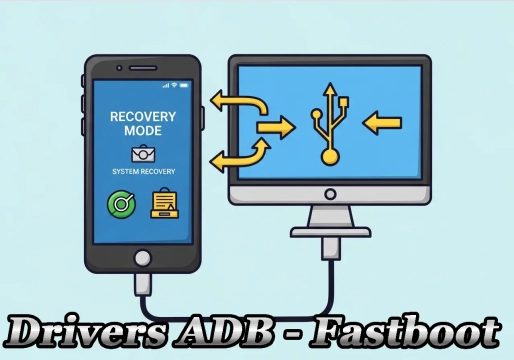
DOWNLOAD LIBUSB HEREFor Unlock Methods that require ADB or Fastboot Mode:
DOWNLOAD ADB AND FASTBOOT DRIVERS HERERequired to put the Qualcomm device into Emergency Download (EDL) mode.:
Download Qualcomm HS-USB QDLoader 9008 DriverI do not endorse or encourage the unlocking of stolen/blocked cell phones.
Anyone who uses these posts for any illegal purpose will be solely responsible for their activity.
Legal Notice:
The content of this Website, including any information about software, downloads, and third-party links, is provided for informational purposes only. The author of this Website is not responsible for any damage, directly or indirectly, caused by the download, installation, or use of any software mentioned on this website.
Disclaimer:
By accessing and using this Website, you agree to hold the author harmless from any liability for:
Hardware or software damage:
Including, but not limited to, viruses, worms, trojans, or other malicious code that may infect your system.
Data loss:
Copyright violations:
Downloading and using software without the proper licenses may result in copyright violations.
Illegal acts:
Misuse of software may be considered an illegal act and result in legal consequences.