What is OEM Unlock?
Introduction
OEM Unlock is an option available in the developer settings of many Android smartphones. Its main function is to allow the unlocking of the bootloader, a necessary step for making advanced modifications to the operating system.
Although it is a feature aimed primarily at developers and advanced users, understanding how it works is important for those who want to install custom ROMs, gain root access, or recover devices through more advanced procedures.
What is OEM Unlock?
OEM Unlock is a security setting present in Android that authorizes the unlocking of the device's bootloader.
The bootloader is the first software executed when the smartphone is turned on. It checks the integrity of the operating system before initializing it. By default, most manufacturers keep the bootloader locked to prevent unauthorized changes to the system.
When the OEM Unlock option is enabled, the device begins to allow the bootloader to be unlocked using specific commands, usually through Fastboot.
Important: enabling OEM Unlock does not automatically unlock the bootloader. This setting only enables the possibility of performing the procedure later.
How does it work?
The operation of OEM Unlock is relatively simple and follows the steps below:
- The user enables Developer Options in Android.
- Within these options, they enable OEM Unlock.
- The device authorizes the unlocking of the bootloader.
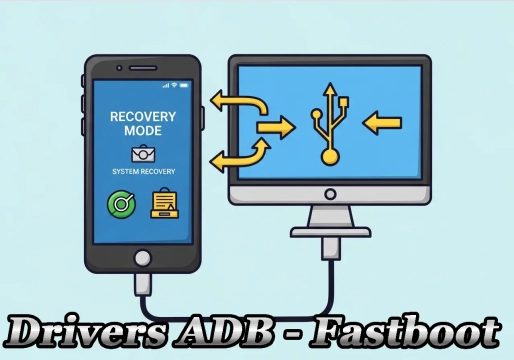
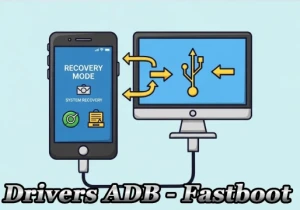
- Using a computer and tools such as ADB and Fastboot, the user executes the unlock command.
- The device normally performs a complete factory reset for security reasons.
- After unlocking, it becomes possible to modify the system, install custom recoveries, and make other changes.
On some manufacturers, such as Motorola, Xiaomi, Sony, and OnePlus, it may still be necessary to request a code or official authorization before unlocking.
When is it used?
OEM Unlock is mainly used in situations such as:
- Installing custom ROMs (Custom ROMs).
- Installing a custom recovery, such as TWRP.
- Gaining Root access.
- Developing and testing applications.
- Modifying the Android kernel.
- Recovering devices using official images.
- Developing projects aimed at the Android system.
Regular users normally do not need to enable this option.
What are the advantages?
Among the main benefits of OEM Unlock are:
- 🔓 Allows unlocking the bootloader.
- ⚙️ Makes it possible to install custom ROMs.
- 🛠️ Facilitates advanced maintenance procedures.
- 📱 Allows installing custom recoveries.
- 🔧 Makes it possible to gain Root access.
- 🚀 Offers greater freedom for Android customization.
- 💻 Essential for developers and advanced users.
What are the risks?
Despite the advantages, there are some important risks that should be considered:
Data loss
Unlocking the bootloader normally erases all data stored on the device.
Loss of warranty
Some manufacturers consider unlocking the bootloader an unauthorized modification, which may limit or void the warranty, depending on the company's policy and the region.
Reduced security
With the bootloader unlocked, the device becomes more vulnerable to the installation of modified or malicious systems if it falls into the wrong hands.
Failures during modifications
Incorrect installation of ROMs, kernels, or recoveries can prevent the device from booting (soft brick) or, in more serious cases, cause damage that is harder to recover from.
Apps may stop working
Some banking apps, digital wallets, and services protected by security mechanisms may detect the unlocked bootloader and limit certain functionalities.
Comparison table: OEM Unlock enabled vs. disabled
| Feature | OEM Unlock Disabled | OEM Unlock Enabled |
|---|---|---|
| Bootloader | Locked | Allows unlocking |
| Installation of custom ROMs | Not allowed | Allowed |
| Root access | Not allowed | Allowed |
| Custom recovery | Not allowed | Allowed |
| System security | Maximum | Reduced |
| Manufacturer warranty | Preserved | May be voided |
| Compatibility with banking apps | Full | May be limited |
| Recommended user profile | Regular user | Developer / advanced |
Conclusion
OEM Unlock is an essential feature for those who want to explore the full potential of Android beyond the default settings. It works as an authorization to unlock the bootloader, allowing the installation of custom ROMs, root access, and other advanced modifications.
However, this procedure should only be performed by users who understand its risks, as it can erase all device data, reduce security, and affect compatibility with some applications. Before proceeding, it is always advisable to make a complete backup and check the manufacturer's policies regarding bootloader unlocking.
FAQ — Frequently Asked Questions
Does enabling OEM Unlock erase data from the phone?
Not directly. Simply enabling the option in the settings does not erase data. The erasure occurs when the bootloader is effectively unlocked via Fastboot, a procedure that normally formats the device for security reasons.
Are OEM Unlock and bootloader unlocking the same thing?
No. OEM Unlock is only the permission in the Android settings. Bootloader unlocking is the procedure itself, done via computer with tools such as ADB and Fastboot.
Can I enable OEM Unlock and then disable it?
Yes. You can enable and disable the option whenever you want. The change will only have a practical effect if you execute the bootloader unlock command while the option is enabled.
Does unlocking the bootloader void the warranty?
It depends on the manufacturer and the region. Companies such as Google, OnePlus, and Xiaomi (on some models) usually allow unlocking without voiding the warranty, while others, such as Samsung in certain markets, may consider the practice a violation of the terms.
Do banking apps stop working after unlocking?
Many do. Apps such as Google Wallet, banks, and services protected by SafetyNet / Play Integrity mechanisms may detect the unlocked bootloader and block operation. There are solutions such as Magisk and KernelSU that try to bypass this limitation, but the result varies depending on the device.
Do all Android phones have the OEM Unlock option?
No. Most devices with stock Android or from manufacturers such as Google, Xiaomi, OnePlus, and Motorola have the option. Samsung, Huawei, and some carrier models may not present the feature or may have unlocking permanently blocked.
Is it safe to use OEM Unlock on my main phone?
For regular users, it is not recommended. The feature is intended only for those who understand the risks, know how to perform backups, are prepared for possible bricks, and accept possible limitations in security applications.