What is FRP (Factory Reset Protection) on Android?
FRP (Factory Reset Protection) is an essential security feature present on Android devices, designed to protect user data in cases of loss, theft, or unauthorized restoration of the device. Introduced by Google starting with Android 5.1 (Lollipop), this mechanism is part of most modern smartphones and tablets that use the Android operating system.
The main goal of FRP is to prevent someone from using a device after a factory reset without knowing the credentials of the previously synchronized Google account. Thanks to this feature, even if the device is completely reset, it will remain protected until the correct account is provided.
🔒 What does FRP mean?
The acronym FRP stands for Factory Reset Protection, which in Portuguese can be translated as Proteção Contra Redefinição de Fábrica. This technology creates an additional layer of security, linking the device to the Google account registered by the legitimate owner.
After a restoration performed by traditional methods (such as Recovery Mode, Fastboot, or third-party maintenance tools), the system mandatorily requests the login of the Google account that was configured before formatting. If this authentication is not performed correctly, the device remains locked.
⚙️ How does FRP work?
FRP works relatively simply and occurs completely automatically through the operating system. The process follows this logic:
- The user adds a Google account to the smartphone and sets up a screen lock method (PIN, password, pattern, or biometrics).
- The system records this information securely and internally.
- If the device is restored without the Google account being previously removed in the system settings, the Google verification screen will be displayed on the first boot.
- At this stage, it will be necessary to provide:
- The Google account previously used on the device.
- The corresponding password for that account.
- In some cases, an additional identity verification (such as a code sent to the phone or recovery email).
- After correct authentication, the device is unlocked and works normally again.
⚠️ When is FRP triggered?
FRP comes into action whenever a restoration considered potentially unauthorized occurs. The most common situations include:
- Restoration via Recovery Mode.
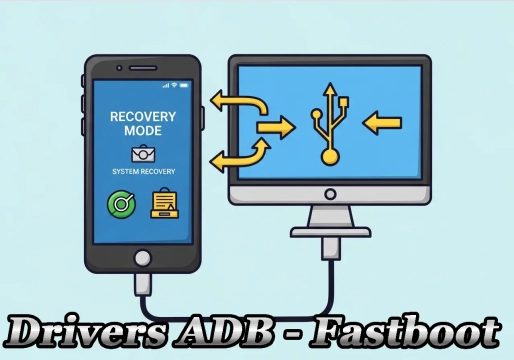
- Reset using Fastboot commands.
- Formatting performed by software maintenance tools (flash tools).
- Complete cleaning of the device (Hard Reset) before removing the Google account.
- Attempts to reuse lost or stolen devices.
When the user removes their Google account in the Android settings before performing the restoration, FRP is automatically disabled, allowing the device to be configured again without requesting the previous account.
📊 Comparison: FRP Behavior in Different Scenarios
| Restoration Scenario | Google account removed beforehand? | FRP Result |
|---|---|---|
| Restoration via the Android settings menu | Yes (automatic) | ✅ Disabled (device unlocked) |
| Hard Reset via physical buttons (Recovery Mode) | No | 🔒 Enabled (requests account and password) |
| Formatting via third-party software (Fastboot/Tools) | No | 🔒 Enabled (requests account and password) |
| Selling or donating the device (correct procedure) | Yes (manual) | ✅ Disabled (ready for new user) |
✅ Advantages and Limitations of FRP
Although it is an extremely useful feature, it is important to understand both sides to avoid inconvenience.
Advantages
- Greater protection against theft and robbery of mobile devices.
- Prevents third parties from using the device after a forced formatting.
- Protects the personal and sensitive data of the original owner.
- Significantly reduces the resale value of stolen devices on the illegal market.
- Works automatically, without the need for advanced configuration by the user.
- Is deeply integrated into the Android system, being supported by brands such as Samsung, Motorola, Xiaomi, LG, Nokia, Realme, Vivo, and Oppo.
Risks and Limitations
- Forgetting the password or email of the linked Google account.
- Not remembering which account was registered on the device.
- Buying a used device without the previous owner having removed the account.
- Accidentally restoring the device before removing the Google account.
- Temporary security lock after recently changing the Google account password.
For this reason, it is highly recommended that, before selling or donating a smartphone, the owner remove their Google account in the Android settings and perform the restoration using the system menu itself. This procedure avoids problems for the new user and ensures that the device can be configured normally.
❓ Frequently Asked Questions (FAQ) about FRP
What should I do if I bought a used phone and it is FRP-locked?
The ideal is to contact the previous seller and ask them to remove the device from their Google account remotely by accessing Google's "Find My Device" website. Without this action or the device's invoice for manufacturer support, unlocking is extremely difficult for security reasons.
Does FRP work if the device has no SIM card or internet?
Yes. The FRP lock is triggered during the initial setup of the device. If the device connects to a Wi-Fi network during this process, verification will be required. In more recent versions of Android, the lock may persist even without an immediate active connection, being requested as soon as the device connects to the internet.
Does removing the Google account in the settings disable FRP?
Yes. When removing the Google account through the Android settings menu (before any formatting), the system understands that it is a legitimate action by the owner and automatically disables Factory Reset Protection.
Final Considerations
FRP is undoubtedly one of the most important security features in the Android ecosystem. Its main function is to protect the device against unauthorized access after a factory reset, significantly reducing the chances of reuse in cases of loss or theft.
Although it can cause inconvenience when the owner forgets their Google account, the feature represents a fundamental advancement in mobile device security. Knowing how it works helps avoid unexpected locks and ensures a safer experience when swapping, selling, or restoring an Android smartphone.
DO YOU HAVE A PHONE LOCKED BY FRP?
Find a tool to unlock here