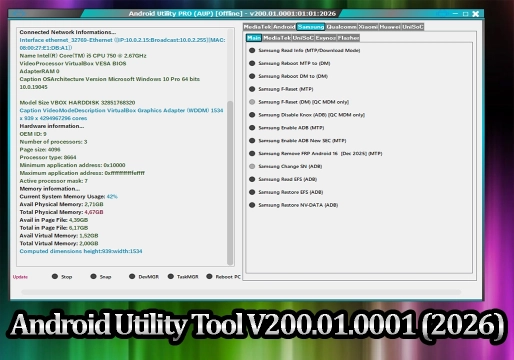
Android Utility Tool V200.01.0001 (2026)
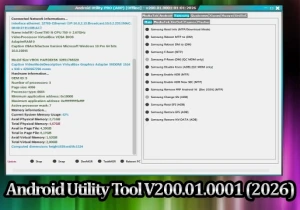
Android Utility Tool V200.01.0001 (2026): The Tool That Is Transforming the Android Repair Landscape
The Android maintenance sector continues to evolve rapidly, and keeping up with the new security layers implemented by manufacturers has become a real challenge for technicians and mobile software specialists.
In this scenario, Android Utility Tool V200.01.0001 (2026) emerges as one of the most talked-about tools of the moment, offering advanced features for repair, unlocking, maintenance, and recovery of Android devices in a single platform.
The new version gained prominence mainly for its improved compatibility with Android 15 and Android 16, as well as important optimizations in ADB, Fastboot, META, and BROM
📱 What Is Android Utility Tool?
Android Utility Tool, also known as AUT, is software developed to perform advanced procedures on Android smartphones through different system communication modes.
The tool offers support for various brands and chipsets present in the current market.
Main supported modes
- ADB Mode
- Fastboot Mode
- Download Mode
- META Mode
- BROM Mode
- EDL Mode
Compatible brands
- Samsung
- Xiaomi
- Motorola
- Oppo
- Vivo
- Realme
- Huawei
- MediaTek Devices
- Qualcomm Devices
🔓 FRP Removal Is One of the Major Highlights
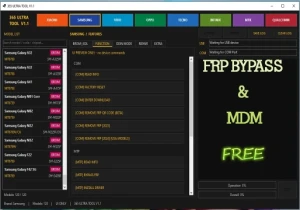
Among the most used features of Android Utility Tool V200.01.0001 is support for procedures related to FRP (Factory Reset Protection), Google's security system present on modern Android devices.
The tool provides optimized methods for devices running Android 13, Android 14, Android 15, and part of Android 16 builds.
FRP-related functions
- Google account reset
- ADB activation
- Security bypass in supported modes
- Post-format protection reset
- User data cleaning
- Samsung and Xiaomi specific functions
These features have made AUT a very popular tool among technicians specializing in Android maintenance.
⚙️ Advanced Features for Professional Repairs
In addition to FRP-related functions, Android Utility Tool also offers a robust set of features aimed at advanced Android system recovery and maintenance.
Main available functions
- Firmware Flash
- Boot Repair
- Partition Backup
- Userdata Formatting
- Device Information Reading
- NVRAM and NVDATA Operations
- Bootloader Unlock and Relock
- Force BROM
- Enable Diag
- RPMB Operations
These functions help recover devices with problems such as:
- Bootloop
- Stuck on logo
- Failure after update
- Corrupted system
- Boot problems
🚀 What's New in Version V200.01.0001
Better compatibility with modern Android
The new version received important improvements for devices with Android 15 and Android 16, including newer Samsung, Motorola, and MediaTek models.
Offline Operation
One of the most talked-about differentiators of the tool is the possibility of offline use after installation, reducing dependencies on constant online authentication.
Greater stability in USB connections
Important improvements were implemented in communication via:
- ADB
- Fastboot
- META
- BROM
This helps reduce connection failures during critical procedures.
📊 Android Utility Tool Feature Comparison
| Feature | Available | Purpose |
|---|---|---|
| FRP Reset | Yes | Google protection removal |
| Firmware Flash | Yes | System installation and recovery |
| Unlock Bootloader | Yes | Advanced device unlocking |
| ADB Functions | Yes | Android commands and management |
| Fastboot Support | Yes | Advanced boot operations |
| META/BROM Support | Yes | Deep repair on MediaTek |
| Qualcomm Functions | Yes | EDL and EFS operations |
✅ Positive Points of the Tool
- Relatively simple interface
- Wide compatibility with devices
- Free advanced functions
- Support for modern Android
- Frequent updates
- Broad support for MTK and Qualcomm chipsets
⚠️ Beware of Risks
Although powerful, Android Utility Tool requires technical knowledge for correct use.
Incorrect procedures can cause:
- Hard Brick
- IMEI loss
- Partition corruption
- Permanent system failures
- Boot problems
It is also important to be careful with modified versions distributed on unknown websites, as some may contain unsafe files or malware.
💡 Is It Worth Using?
For experienced technicians, Android Utility Tool V200.01.0001 has become one of the most complete free tools currently available.
The combination of advanced features involving:
- FRP
- Flash
- ADB
- Fastboot
- BROM
- Qualcomm
- MediaTek
- System repair
makes AUT an extremely powerful solution for Android maintenance in 2026.
For beginners, however, the ideal approach is to first study important concepts about Android partitions, USB drivers, and boot modes before performing advanced procedures.
❓ FAQ - Frequently Asked Questions
Is Android Utility Tool free?
Most versions of the tool circulate freely on the internet, although some special builds may require activation.
Does the tool work on Android 15?
Yes. Version V200.01.0001 received important improvements for compatibility with Android 15 and part of Android 16.
Is it possible to remove FRP with AUT?
Yes. The software offers several FRP-related methods on compatible devices.
Can Android Utility Tool damage the device?
Yes. Incorrect operations can cause serious system failures, including hard brick and partition loss.
Does the tool support MediaTek and Qualcomm?
Yes. AUT has support for advanced operations on MediaTek and Qualcomm chipsets.
📌 Final Considerations
Android Utility Tool V200.01.0001 represents an important evolution in the Android maintenance segment, offering advanced recovery, unlocking, and repair features in a single platform.
With expanded support for modern Android versions and significant improvements in stability and compatibility, the tool continues to consolidate its place among the most used solutions by GSM industry professionals in 2026.
⚠️ Warning!
Before using the Program, you need to temporarily disable your Antivirus because it may flag the file as a potential threat, but it is a false positive.
I test every program I share here before posting it, however I cannot guarantee 100% that they are completely safe since I am not the creator of the programs.
I strongly recommend that you create a restore point on your computer before installing any program, so if you notice that the program is not safe, you can simply revert the restore point to the previous state.
Important: if you do not trust it, do not use it and look for other options.
📥 Download Information
- Scroll down to the Download section.
- Check the box I agree to the terms of use
- Then click on Reveal links
- Wait 5 seconds
- Use any of the 2 links
- ⚠️Warning: The download file is compressed with the password “mixdow.com”.
🔐 Site Download Section
To unlock the links, check the box below and click the button:
To get started, make sure you have the basic drivers installed:
DOWNLOAD REQUIRED DRIVERS HEREAttention: Some New FRP Tools use a "bypass" method that requires a special driver filter called LibUSB.
DOWNLOAD LIBUSB HEREFor Unlock Methods that require ADB or Fastboot Mode:
DOWNLOAD ADB AND FASTBOOT DRIVERS HERERequired to put the Qualcomm device into Emergency Download (EDL) mode.:
Download Qualcomm HS-USB QDLoader 9008 DriverI do not endorse or encourage the unlocking of stolen/blocked cell phones.
Anyone who uses these posts for any illegal purpose will be solely responsible for their activity.
Legal Notice:
The content of this Website, including any information about software, downloads, and third-party links, is provided for informational purposes only. The author of this Website is not responsible for any damage, directly or indirectly, caused by the download, installation, or use of any software mentioned on this website.
Disclaimer:
By accessing and using this Website, you agree to hold the author harmless from any liability for:
Hardware or software damage:
Including, but not limited to, viruses, worms, trojans, or other malicious code that may infect your system.
Data loss:
Copyright violations:
Downloading and using software without the proper licenses may result in copyright violations.
Illegal acts:
Misuse of software may be considered an illegal act and result in legal consequences.